How do I add a private add-on to a test Account?
Hi MCestaro,
It’s not possible to add a private add-on to the test accounts for now. They can be tested in the production workspaces.
Could you tell me what would be the use case for testing private add-on in the test accounts?
My assumption would be that you are developing a private add-on for a client and want to test it in the test accounts before adding their workspace. And you need paid workspace for testing that add-on features.
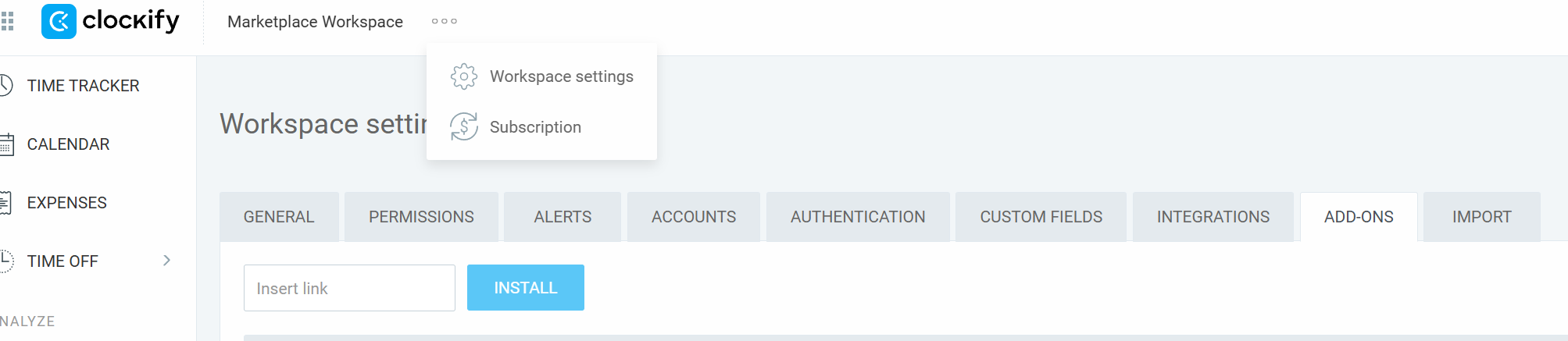
You can still install the private add-on in the test accounts in the same way as installing an unpublished one: In the Workspace settings - Add-ons tab you can insert the manifest URL and click Install.
You need to log in to test accounts as an Owner or an Admin.
1 Like
that was the use case. My add-on uses Pro features.
That was the missing piece of info….which URL to use there. thank you!
Ok, perfect.
You should use the URL of the manifest. The one you also entered when creating the private add-on.